Tank Mixing Setup Tutorial for RadioLink AT9S & AT10II Transmitters
Transmitter: Radiolink AT9S Pro
Receiver: Radioink R9DS (should be with PWM signal output, which means we have to make sure the Red LED of R9DS is always on)
Tank: dual-motor RC tank, each motor controlled by an ESC separately
Connection:
The head of the tank is forward.
The ESC on the left connects to the CH1 of R9DS.
The ESC on the right connects to the CH2 of R9DS.
Transmitter Setting:
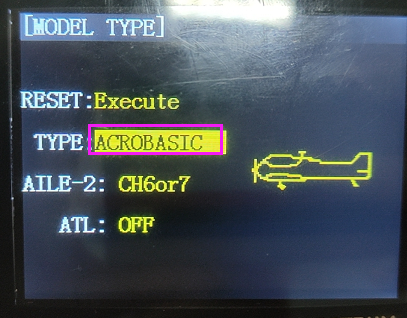
Into BASIC MENU---select MODEL TYPE---set the TYPE is ACROBASIC
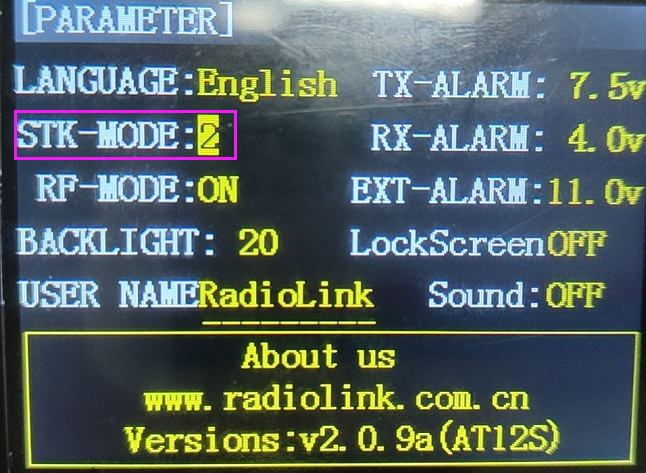
Into PARAMETER menu---set STK-MODE:2
Into ADVANCE MENU
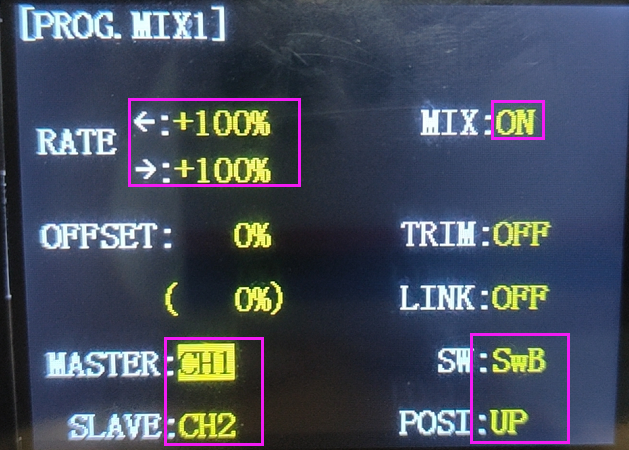
Select PROG.MIX1 menu
Set both left and right RATE to +100%
Set MIX from INH to ON
Set MASTER:CH1 and SLAVE:CH2
The control switch is SwB, and the POSI of the switch is UP. The parameters are as the picture below
Back to PROG.MIX menu
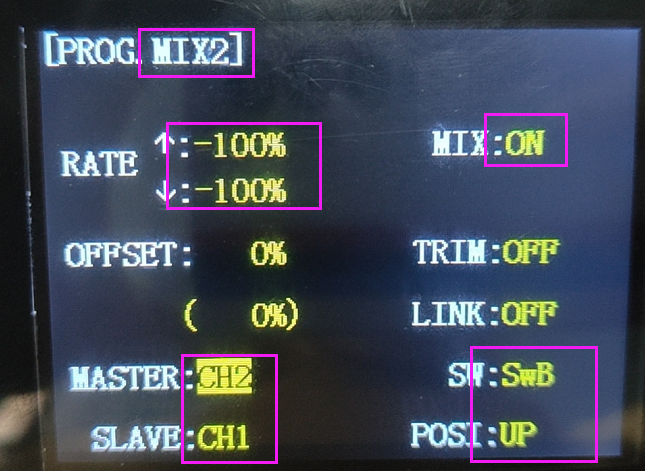
Select PROG.MIX2
Set both up and down rates to -100%
Set MIX from INH to ON
Set MASTER:CH2 and SLAVE:CH1
Set control switch is SwB, and the POSI of the switch is UP. The parameters are as the picture below.
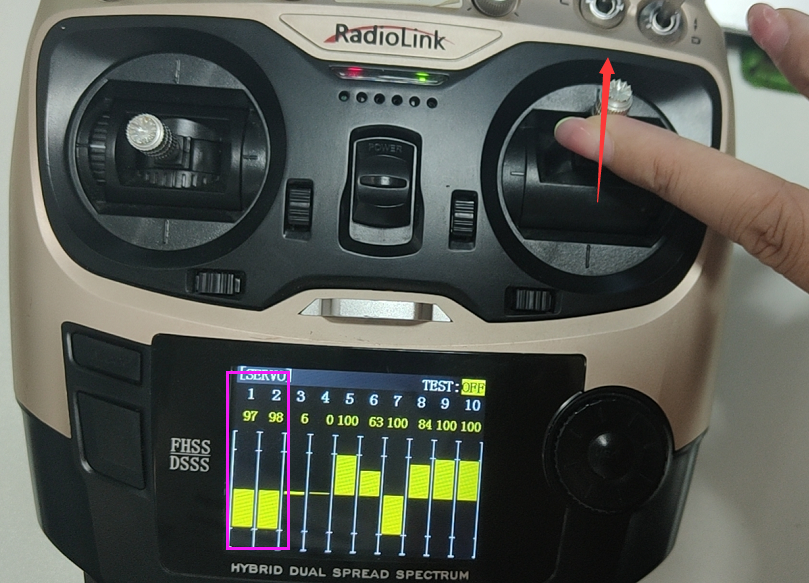
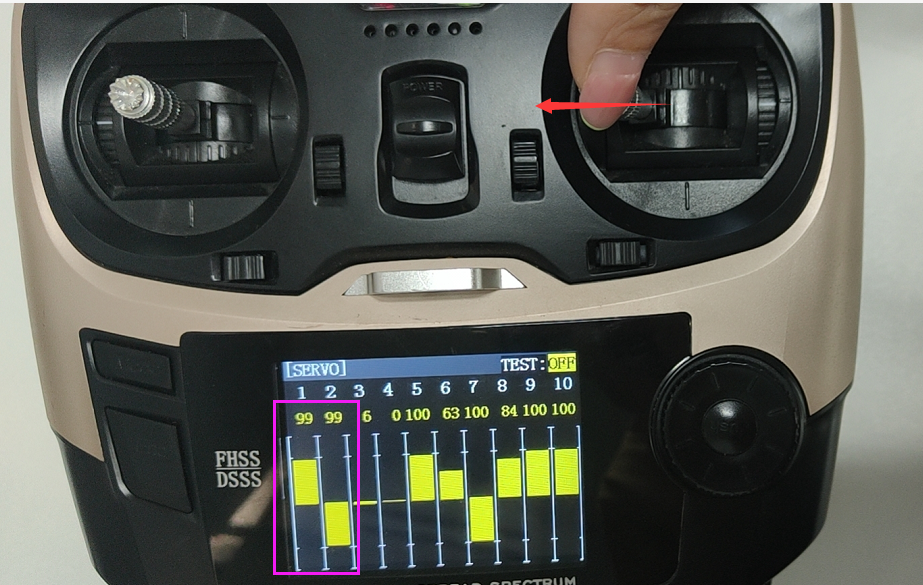
Then go to the SERVO menu to check if the phase is right or not.
When you push the joystick of CH2 up or down, then the servo bars of CH1 and CH2 will move up and down at the same time, and the servo bars of CH1 and CH2 to the same direction.
When you push the joystick of CH1 to the left or right, then the servo bar of CH1 and CH2 will move to the left or right at the same time, but in opposite directions.
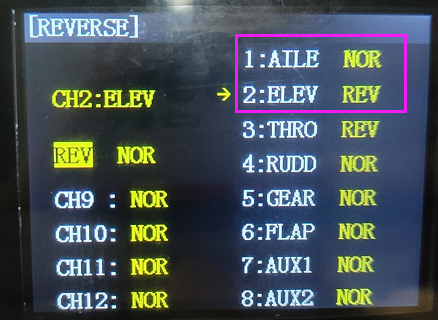
If the servo bar of CH1 or CH2 does not move as the introduction above, it means the phase is reversed, you have to set it as below:
Into BASIC MENU
Select REVERSE
Set 1:AILE is NOR and 2:ELEV is REV